
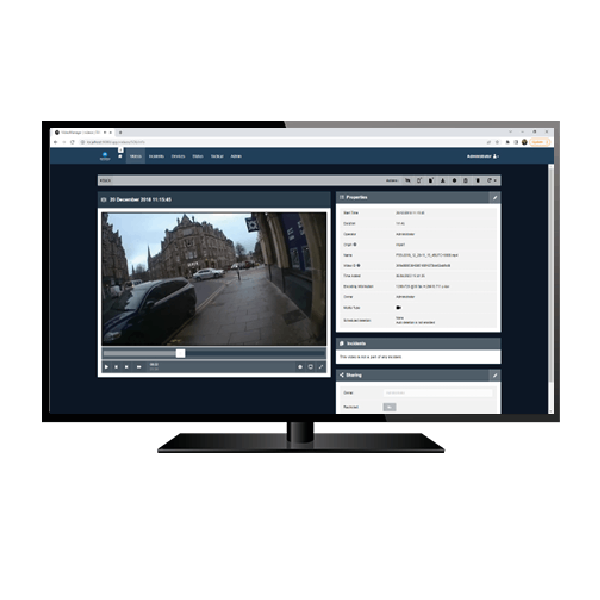
Motorola VideoManager EX
Managing a body-worn or in-car video program doesn’t have to be hard. VideoManager EX provides the flexibility you need to easily administer cameras and efficiently store, prepare and share recorded footage – no matter the size of your deployment or how sophisticated you want, or need, your program to be.
The VideoManager EX is an enterprise video and device management system built to handle large body-worn camera deployments. It automates video uploads, organizes digital evidence, and provides secure, centralized control over users, devices, and footage. Designed for high-volume environments, it helps streamline workflows while maintaining compliance and data integrity.
-
Advanced Search And Retrieval
Users can quickly locate footage using metadata such as date, time, user ID, or incident tags.
-
Audit Trail And Logging
Every action within the system is recorded, creating a full audit trail for accountability and legal defensibility.
-
Automated Evidence Offload And Management
Video footage is automatically uploaded when cameras are docked, removing the need for manual file transfers. Files are securely stored and organized based on predefined rules.
-
Centralized Device Control
Administrators can manage all connected cameras from one interface, including configuration, firmware updates, and user assignments.
-
Flexible Deployment Options
Can be deployed on-premise or within a secure network environment to meet organizational policies and IT requirements.
-
Integration With Body-Worn Cameras
Works seamlessly with Motorola body-worn cameras, enabling efficient evidence capture, transfer, and management.
-
Role-Based Access Control
Access to video and system functions is controlled by user roles, helping ensure that only authorized personnel can view, edit, or export footage.
-
Scalable Architecture
Designed to support growing organizations, the system can handle increasing numbers of devices, users, and video files without impacting performance.
-
Secure Data Storage
All video files are encrypted and protected to maintain integrity and chain of custody, supporting compliance with evidence handling standards.
Performance Characteristics
Audit Logging
Comprehensive audit trail records all system activity, including logins, video access, edits, and exports for accountability and compliance
Data Encryption
All media is encrypted at rest and during export using AES 256 encryption. Body-worn camera footage is protected with system-specific access control keys to maintain security and chain of custody
Device Compatibility
Supports compatible Motorola body-worn cameras and docking stations for automated upload, charging, and device management
Network Requirements
Designed for secure LAN-based environments, with performance dependent on bandwidth, number of devices, and upload frequency
Search And Metadata
Advanced search tools using metadata such as date, time, user ID, and custom tags to quickly locate and organize footage
Software Interface
Browser-based or workstation interface for managing devices, reviewing footage, configuring users, and controlling system settings
Storage Architecture
Scalable storage environment that supports expanding video libraries, retention policies, and integration with RAID or network-attached storage systems
System Type
Enterprise video evidence and device management platform built for large-scale body-worn camera deployments
User Access Control
Role-based permissions allow administrators to define access levels, ensuring only authorized users can view, manage, or export footage
Video Upload And Ingest
Automatic video offload when devices are docked, with background processing to reduce manual steps and ensure consistent data transfer
Physical Characteristics
Deployment Method
On-premise server-based deployment within a secure internal network, giving organizations full control over data and infrastructure
Hardware Integration
Seamless integration with multi-unit docking stations for simultaneous charging and video transfer across multiple devices
Power Characteristics
Power Requirements
Dependent on server and docking hardware, typically aligned with enterprise-grade power standards for rack or workstation deployments